


Stay Compliant and Organised With Clik Compliance
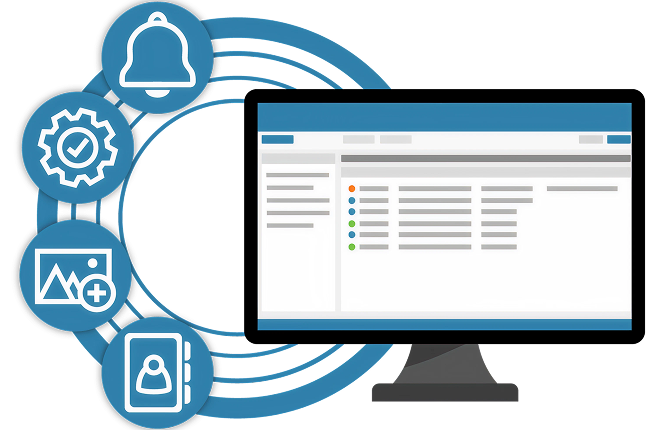
Clik Compliance helps businesses in regulated industries stay on top of safety checks, risk assessments, and documentation. From inspection reports and compliance alerts to certification tracking and audit trails, Clik Compliance simplifies how you manage and maintain regulatory standards across your operations.

Automated Alerts
These are triggered well before certifications lapse, giving teams the time to renew or reassign appropriately. This prevents expired credentials from causing job delays or contractual breaches.

Centralised Digital Storage
All certifications are stored in one system, eliminating the risk of lost or outdated records often associated with spreadsheets or manual filing.

Offline Functionality
Engineers can still work in areas without internet access and sync their certification data automatically when connected to the inernet later, reducing gaps due to connectivity issues.

Audit Logs
Every change to a certificate is tracked, providing a clear trail of who did what and when. This helps identify and resolve any inconsistencies or disputes.

Export and Sharing options
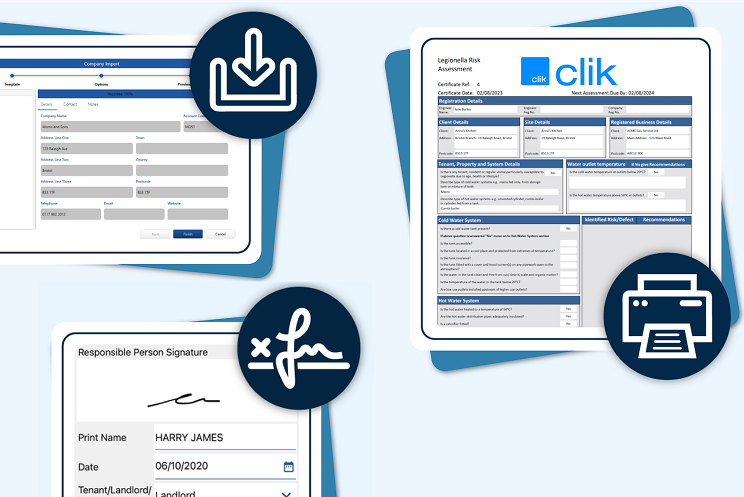
Certificates can be printed, emailed, or exported with customised filenames, making it simple to respond to client requests or audit documentation requirements.

Certification Statuses
Users can instantly see whether a certificate is in draft, validated, expired, or completed. This improves clarity across teams, especially when managing large volumes of certifications
IMPROVE OPERATIONAL EFFICIENCY
Service Delivery
Clik Compliance empowers your team to manage every step of the compliance process—seamlessly and efficiently. From assigning safety inspections to tracking audit readiness, everything is centralised to help your teams stay compliant and on schedule.
With built-in tools for reminders, reporting, and document control, Clik Compliance ensures no step is missed and no task overlooked. It’s the all-in-one solution for delivering compliance with confidence.

Centralised Digital Storage
Clik enables businesses to store and manage all engineer, subcontractor, and asset certifications in one secure location. This eliminates fragmented systems (spreadsheets, file drives, paper records) and ensures that documentation is accessible from anywhere

Expiry Tracking & Notifications
Clik’s system includes automated reminders for upcoming expiry dates, helping Service Managers stay ahead of compliance.

Certification Linking to Jobs and Assets
Certifications can be linked directly to specific engineers, assets, and sites, ensuring only qualified individuals are scheduled for work. This feature supports compliance with Service Level Agreements (SLAs) and health and safety regulations.
CONTROL YOUR COMPLIANCE DOCUMENTS
Contract Management
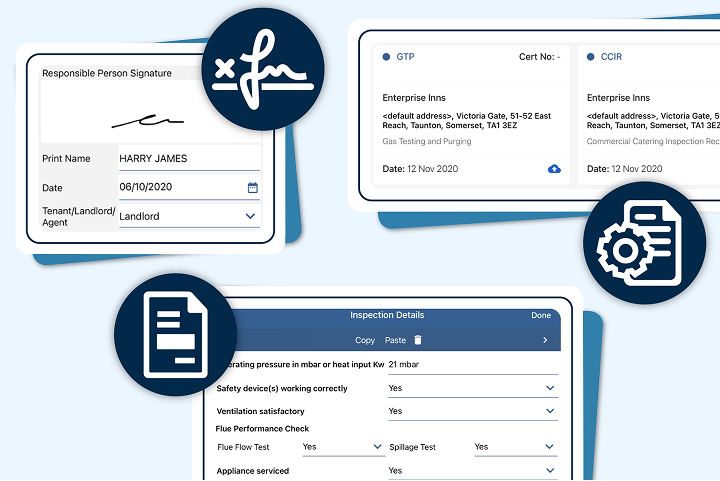
Clik Compliance makes it easy to securely store, access, and manage all your compliance contracts and documentation. From inspection reports to safety certifications, everything is kept in one place—making audits and internal reviews stress-free.
Say goodbye to paper trails and scattered files. With role-based permissions and smart organisation, your team can confidently manage documents with complete traceability and control.

Proactive Compliance Monitoring
Set expiry reminders and receive notifications for upcoming renewals, ensuring contracts are only staffed with qualified personnel.

Rapid Access to Proof for Clients and Tenders
Export and share certification data quickly when responding to tenders or undergoing audits, giving confidence to clients and stakeholders.

Integration with Contracts and SLAs
Ensure every contract includes appropriate certification tracking as part of service delivery and SLA reporting.
Simple Pricing That Scales With Your Needs
Flexible pricing designed to support teams of all sizes, from small businesses to large enterprises managing compliance at scale.
Entry
Lorem ipsum dolor sit amet
£20
/user/month
Standard plan includes:
-
 5 cert templates
 -
 0 Reports
 -
Up to 50 certs per month
Optional Add-ons:
-
 QR code for assets
Advanced
Lorem ipsum dolor sit amet
£25
/user/month
Premium plan includes:
-
12 cert templates
-
20 Reports
-
Up to 150 certs per month
Optional Add-ons:
-
QR code for assets
Comprehensive
Most popular
Lorem ipsum dolor sit amet
£30
POAcirca
Enterprise plan includes:
-
Templates AOR
-
Reports AOR
-
24/7 support
-
Unlimited certs per month
Optional Add-ons:
-
QR code for assets
Clik Compliance Packs
In Clik Service, you can access the engineer schedule in the diary. This feature allows you to see the avallability of your engineers, create jobs and allocate them.
Once a job has been assigned to an engineer, the job sheet can be viewed away from the office using one of our handy remote solutions – Clik Remote, which is web-based or Clik Jobs, our mobile app.
If your engineer is using Clik Jobs, they will be sent a push notification to make them aware when a new job is ready to be downloaded onto their app.
In Clik Service, you can access the engineer schedule in the diary. This feature allows you to see the avallability of your engineers, create jobs and allocate them.
Once a job has been assigned to an engineer, the job sheet can be viewed away from the office using one of our handy remote solutions – Clik Remote, which is web-based or Clik Jobs, our mobile app.
If your engineer is using Clik Jobs, they will be sent a push notification to make them aware when a new job is ready to be downloaded onto their app.
In Clik Service, you can access the engineer schedule in the diary. This feature allows you to see the avallability of your engineers, create jobs and allocate them.
Once a job has been assigned to an engineer, the job sheet can be viewed away from the office using one of our handy remote solutions – Clik Remote, which is web-based or Clik Jobs, our mobile app.
If your engineer is using Clik Jobs, they will be sent a push notification to make them aware when a new job is ready to be downloaded onto their app.
In Clik Service, you can access the engineer schedule in the diary. This feature allows you to see the avallability of your engineers, create jobs and allocate them.
Once a job has been assigned to an engineer, the job sheet can be viewed away from the office using one of our handy remote solutions – Clik Remote, which is web-based or Clik Jobs, our mobile app.
If your engineer is using Clik Jobs, they will be sent a push notification to make them aware when a new job is ready to be downloaded onto their app.
In Clik Service, you can access the engineer schedule in the diary. This feature allows you to see the avallability of your engineers, create jobs and allocate them.
Once a job has been assigned to an engineer, the job sheet can be viewed away from the office using one of our handy remote solutions – Clik Remote, which is web-based or Clik Jobs, our mobile app.
If your engineer is using Clik Jobs, they will be sent a push notification to make them aware when a new job is ready to be downloaded onto their app.
In Clik Service, you can access the engineer schedule in the diary. This feature allows you to see the avallability of your engineers, create jobs and allocate them.
Once a job has been assigned to an engineer, the job sheet can be viewed away from the office using one of our handy remote solutions – Clik Remote, which is web-based or Clik Jobs, our mobile app.
If your engineer is using Clik Jobs, they will be sent a push notification to make them aware when a new job is ready to be downloaded onto their app.